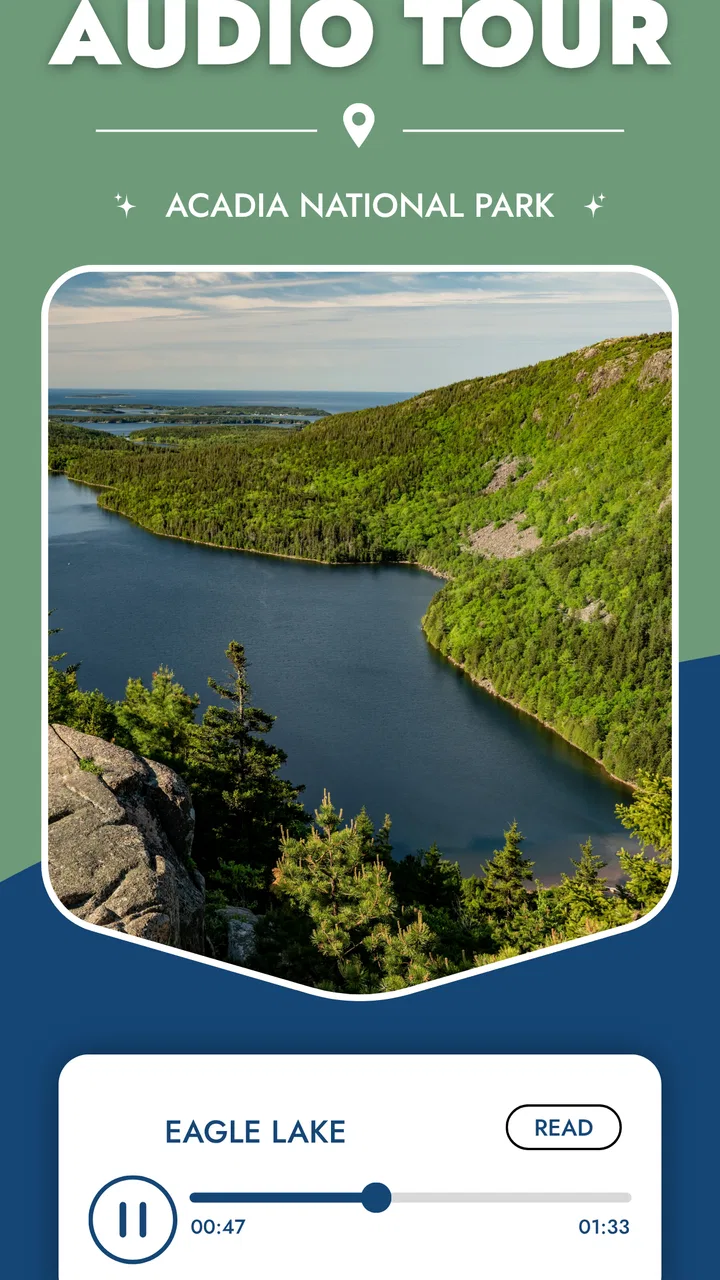
Acadia National Park GPS Tour
- 4.1
- Rating
- 10.00K
- Installs
- Free
- Price

 Analysis by App-foxy
I approached Acadia National Park GPS Tour as I would any travel companion: not as a replacement for preparation, a map, or good judgment outdoors, but as a tool that should earn a place on my phone before a park day begins. Developed by Action Tour Guide LLC, this free Travel & Local app is designed around a self-guided visit to Acadia National Park, combining GPS-triggered audio with maps, scenic trails, and popular viewpoints. That focus makes it more useful than a general travel app when I already know where I am going and want context while moving through the park.
My first impression is that the app has a clear purpose rather than trying to become a complete travel dashboard. It is aimed at people who want to explore independently and hear information along the way, without joining a scheduled group or reading every sign before continuing. The store summary also emphasizes offline use, which is particularly relevant in a national park where connectivity can be inconsistent. In practice, that means the important preparation happens before the drive, not when I am already standing beside a trailhead.
The app is free to install and carries an Everyone content rating. Its average rating is 4.1 from around 68 ratings, with around 16 written reviews, while its install count has passed 10K. Those figures suggest a modest but established audience rather than a universally adopted navigation standard. I would treat it as a specialized option for Acadia, not as the only source I would trust for route conditions, closures, weather, or safety decisions.
You May Also Like

 Pandora - Music & Podcasts
Pandora’s Music Is Easy to Start, but Harder to Recover
Pandora’s strength is its low-effort path from a seed to a station. Its weak spot is how much confidence it asks you to place in connection, setup, and quiet recovery.

 8 Ball Pool
8 Ball Pool Is Built on Rivalries, Rematches, and Routine
A close look at the rivalries, rematches, shared routines, and unanswered safety questions that turn a quick pool match into a persistent mobile community.

 Samsung Music
Samsung Music’s Quiet Strength Is Playing What You Already Own
Its reach comes less from spectacle than from dependable access to a personal library. That simplicity is both the app’s strongest retention engine and its ceiling.

 AccuWeather: Weather Radar
AccuWeather Review: A Quick, Clear Forecast for Everyday Decisions
For everyday plans, the best forecast is the one you can understand quickly. AccuWeather makes rain timing, radar, and local conditions easy to act on, with a few trade-offs.

 Hill Climb Racing
Why Hill Climb Racing Still Turns Crashes Into One More Run
A tiny car, a bumpy hill and one more upgrade: Hill Climb Racing keeps resurfacing because its simple chaos makes every near-miss feel personal.

 AliExpress - Shopping App
AliExpress Makes Global Shopping Feel Personal, but Shoppers Bear the Risk
AliExpress turns a global marketplace into a pocket-sized discovery engine. Its reach is useful, its shopping loop compelling, and its trade-offs easy to miss.
More From Our News Desk
View All News


What the tour is really useful for
The strongest idea here is the combination of movement and narration. A normal map can tell me where a road, viewpoint, or trail is located, but it usually leaves me to search separately for the story behind that place. A conventional audio guide may provide good material but require me to select every stop manually. A GPS-led tour attempts to connect those two experiences: I travel through the park, and the app can make the visit feel more like a guided route without requiring a guide to be physically present.
That format suits a first visit especially well. Acadia can be approached as a collection of roads, overlooks, shoreline areas, and walking routes, and it is easy to spend a day moving quickly without understanding how the individual stops fit together. Listening while driving between suitable stopping points gives the landscape some continuity. I found that more valuable than simply collecting isolated facts, because it encourages me to notice the transition from one part of the park to another.
It also works for travelers who dislike rigid schedules. A group tour generally decides the pace, while a printed guide asks me to manage the sequence myself. A self-guided GPS tour sits between those choices. I can pause for a longer walk, skip a viewpoint, or stop for food without holding up strangers. That freedom is a genuine advantage for couples, families, and solo visitors who want structure but not a timetable.
There is an important distinction between an audio tour and a hiking-navigation tool. I would not use this app as my sole answer to questions about trail difficulty, sudden weather, water, daylight, or emergency planning. Its value is interpretation and orientation during sightseeing. A dedicated hiking map, official park information, and current local guidance remain better choices when the decision involves safety rather than sightseeing.
Preparing before leaving the hotel
The offline emphasis changes how I would use the app. I would install it while connected to reliable Wi-Fi, open the Acadia tour, and prepare the material before driving into areas where a signal may be weak. This is not just a convenience tip. It prevents the common mistake of assuming that an app advertised for offline travel will automatically have everything ready the moment it is opened in the park.
I would also charge the phone fully, reduce unnecessary background activity, and carry a backup battery. GPS, a bright screen, and audio can all make a long sightseeing day harder on a phone than ordinary browsing. Keeping the device accessible but not constantly staring at it is another practical improvement: the app should support observation, not turn every viewpoint into a screen stop.
A useful workflow is to preview the map before starting the day and identify the places where I genuinely want to pause. That lets me treat the narration as a layer over my plan instead of allowing the app to dictate every movement. If I am traveling with others, I would agree on a few flexible stops first. The result is less friction when somebody wants a restroom break, a longer walk, or time away from the vehicle.
I would also test the audio before setting off. This is a small step, but it matters when several people need to hear the narration. In a car, the phone speaker may not be enough, while headphones can reduce awareness of traffic, cyclists, and other visitors. A vehicle’s audio system or a single shared speaker may be more practical, provided it does not distract the driver or disturb people outside the car.
How GPS narration changes the park visit
GPS-triggered narration is most helpful when I am moving through a sequence of places and want information at the right moment. It can reduce the need to stop, unlock the phone, search for a location, and decide which paragraph applies to what I am seeing. That smoother rhythm is the feature I would notice most during a scenic drive.
However, location-aware behavior also deserves a sensible level of attention. GPS is not a substitute for looking at road signs or checking whether a stop is legally and safely accessible. I would never interact with the screen while driving. If the narration starts at an unexpected point, I would wait until the vehicle is parked before adjusting anything. The best experience comes when the app remains secondary to the road and the park itself.
There is also a social trade-off. Narration can make a quiet landscape feel more informative, but constant audio is not right for every moment. I prefer to pause it during a short walk, while listening to wildlife, or when traveling with someone who wants conversation. A good self-guided tour should give me control over the pace and silence as well as the commentary.
For families, the app can provide a shared subject during a long day in the car. Instead of every passenger asking how far remains until the next stop, the route becomes a sequence of stories and observations. Still, younger children may not stay engaged with every segment, so I would use it selectively rather than expecting the narration to entertain everyone continuously.
Trust, permissions, and moments that deserve care
Because this is a GPS audio guide, location is central to the experience. I would pay close attention to the location permission prompt and choose the narrowest option that still allows the tour to function on my device. The important principle is simple: location access should serve the tour while I am using it, not become an invisible reason to leave the app active all day.
I would review the app’s permission screen and privacy information directly before granting access, especially if I am sensitive about travel patterns. A park visit can reveal where I go, when I stop, and how long I stay. I am not going to claim a particular data practice without seeing the current policy and device-level controls, but I do think the user should make that decision consciously rather than tapping through setup automatically.
The same caution applies to mobile data. Offline preparation is valuable not only for coverage but also for reducing dependence on a live connection while traveling. I would download or prepare the tour before entering the park and then check whether the app still behaves as expected with connectivity limited. If I am using cellular service for other travel needs, conserving it can make the phone more dependable for calls, messages, and navigation.
In-app purchases range from $1.99 to $69.99 per item, so I would inspect the purchase screen carefully before assuming that every part of the experience is included simply because the app itself is free. The range is wide enough that a traveler should understand what is being unlocked and whether the purchase matches the planned visit. I would avoid buying impulsively at a trailhead, where poor reception, time pressure, or a crowded parking area can make it harder to read the details.
That is also where account control matters. If the app asks me to create or use an account, I would use a password I do not reuse elsewhere and check whether I can manage purchases through the platform account. If no account is needed for the part I want, I would prefer not to create one unnecessarily. The practical goal is to keep control over access, billing, and permissions rather than treating setup as a formality.
Where it beats ordinary alternatives
Compared with a general map application, this tour offers a more focused experience. A map is excellent for getting from one place to another, checking traffic, and finding nearby services, but it rarely gives a carefully sequenced interpretation of Acadia. The specialized tour is better when I want the journey itself to teach me something.
Compared with reading web pages at every stop, audio is less disruptive. I can keep my eyes on the scenery and use the information while walking or riding between locations. The trade-off is that text is easier to scan, revisit, and compare. If I am researching geology, history, or accessibility in detail, I may prefer official pages or a well-edited guidebook alongside this app.
Compared with a live guide, the app is more private and flexible, and it usually fits a smaller budget when the relevant content is available at a reasonable purchase level. It cannot answer a spontaneous personal question, adapt naturally to a child’s curiosity, or notice that my group has become tired. Travelers who value conversation and local human judgment may find a guided experience more rewarding.
Compared with a dedicated hiking app, it serves a different purpose. A hiking specialist is generally the better choice for route planning, elevation awareness, track recording, and outdoor navigation. I would use this tour for the story of the visit and a separate trusted source for the practical details of a demanding walk. Combining tools may sound less convenient, but it is safer than asking one sightseeing app to do every job.
Who should use it, and who should skip it
I think this app is a good fit for a visitor making a scenic drive through Acadia, a couple who wants independent sightseeing, or a family looking for more context than road signs provide. It is also appealing to people who enjoy audio learning and would rather listen than read on a phone. The self-guided format is particularly useful when the group’s pace does not match a scheduled tour.
I would be more cautious recommending it to someone whose main goal is serious hiking. If the day centers on route finding, changing conditions, or remote terrain, the audio tour should be an optional extra, not the foundation of the plan. I would also skip it if I wanted a fully live, conversational guide or if I strongly preferred to keep location-based apps off my phone.
Visitors who have only a short stop may not get enough value from a full tour. In that situation, a simple map and a carefully chosen viewpoint could be more efficient. The app becomes more worthwhile when I have enough time to travel through several parts of Acadia and let the narration connect them.
A realistic day with the app
Imagine arriving early with a partner, a charged phone, and the tour prepared offline. Before driving, I would look over the route and decide which viewpoints deserve a proper stop. Once parked, I would start the relevant audio, put the phone away, and let the narration accompany the walk rather than reading while moving.
At a busy location, I would pause the tour instead of trying to listen over conversations and wind. If the group chose an unplanned trail, I would switch to the separate navigation and safety information needed for that walk. Later, back in the vehicle, I could resume the tour and use the drive to understand the next section of the park.
That pattern shows the app at its best: it fills the spaces between decisions without taking control away from me. It also shows its limits. I still need to manage parking, weather, food, timing, navigation, and the needs of the people traveling with me. The tour enriches the day; it does not organize every practical detail.
Version, cost, and long-term expectations
The current version is 1.66, and the app supports devices running Android 9 or later. That makes compatibility worth checking before a trip, particularly if I am carrying an older phone that has been kept for travel. I would update it before leaving home rather than waiting until I am already in the park.
Since the download is free but optional purchases can cost from $1.99 to $69.99 per item, I would treat the free installation as an opportunity to inspect the experience, not as proof that the complete tour costs nothing. Reading each purchase description, checking the platform’s payment confirmation, and deciding in advance what I am willing to spend are simple ways to avoid an unpleasant surprise.
The app was released on January 6, 2020, and its continued presence alongside the current version suggests that it has been maintained over time. Even so, park information can change independently of app updates. Road access, seasonal conditions, closures, and visitor rules should be checked through current official sources on the day of travel.
My final view is positive but measured. This is a useful interpretation layer for an independent Acadia visit, not a complete outdoor-planning system. I like the idea of offline audio tied to a map and scenic route because it gives a self-guided drive more meaning without forcing me into a group schedule. I also appreciate that the format can be paused, ignored, or combined with other tools according to the day.
The points I would watch most closely are the purchase choices, location permission, offline preparation, and the separation between sightseeing commentary and safety navigation. Those are not reasons to reject the app; they are the habits that make it more dependable. I would install it before an Acadia trip, prepare it on Wi-Fi, test the audio, and use it alongside official park guidance and a suitable hiking resource.
For a traveler who wants stories while exploring at a personal pace, Action Tour Guide LLC has created a focused companion with a clear role. For someone seeking live expertise, detailed trail management, or a single app for every park decision, another option will be better. In my experience, that honest division of responsibilities is exactly how this tour becomes worthwhile: let it explain the places I am visiting, while I remain responsible for how I travel through them.
FAQs for Acadia National Park GPS Tour
01What is Acadia National Park GPS Tour?
Acadia National Park GPS Tour is a self-guided travel app designed to help visitors explore Acadia National Park in Maine. It uses GPS to provide location-based narration, directions, historical information, and sightseeing suggestions as you drive or walk through the park. The experience is intended to complement your visit without requiring a scheduled guide or group tour.
02Does Acadia National Park GPS Tour work without mobile data or internet access?
The tour is generally designed for road trips where cellular coverage may be limited, but you should download the tour content and any required maps before entering the park. GPS positioning can often continue working without mobile data, while streaming, live map updates, or other online features may not. Check the app’s download instructions and test the tour before leaving reliable service.
03Is the app suitable for first-time visitors to Acadia National Park?
Yes, the app can be especially useful for first-time visitors because it explains major landmarks, scenic roads, viewpoints, and notable areas as you approach them. It may help you understand what you are seeing instead of simply following a map. However, it should not replace official park information, posted signs, trail regulations, weather checks, or current alerts from the National Park Service.
04Can I use Acadia National Park GPS Tour while driving?
The app is intended to provide audio guidance while you travel, but safety should remain your priority. Set up the tour, route, and phone mount before moving, and avoid handling the device while driving. Narration may play automatically based on your GPS location, allowing you to focus on the road. Always obey Acadia’s traffic rules, seasonal restrictions, parking instructions, and local laws.
05Does Acadia National Park GPS Tour replace a human guide or official park app?
No. The app offers convenient self-guided commentary and navigation, but it is not a substitute for a ranger-led program, emergency information, or official park resources. Conditions in Acadia can change because of construction, weather, congestion, wildlife, and seasonal road closures. Before your visit, confirm operating details, entrance requirements, reservations, and safety guidance through official National Park Service sources.
Pros
- Works offline
- making it useful in areas with weak or no mobile signal.
- GPS-triggered narration helps you notice landmarks without constantly reading the screen.
- Flexible pacing lets you stop
- explore
- and resume the tour whenever you want.
- Provides driving guidance without requiring a scheduled group tour or guide.
- Can enhance scenic drives with historical and nature-focused local context.
Cons
- Some features may require downloading tour content before visiting the park.
- Audio quality and narration style may not suit every listener’s preferences.
- GPS accuracy can vary near dense forests
- cliffs
- or other obstructed areas.
- Using the app while driving may distract you; a passenger should control it.
- Content may focus on popular routes and offer limited coverage of remote areas.

Acadia National Park GPS Tour
Gallery